
Guides
- Details
- Category: Guides

The Vial of Aruderu is a virtual pet based off of the show Fushigi Mahou Fan Fan Pharmacy. It was released in Japan in 1998, and tends to be a hard to find collector's item.
The object of the game is to collect different spirits, and have them practice magic. When the spirit's time is over, you will be rated on how well you cared for it.
To see the manual, click here.
Menu
- Magic Practice
- Game
- Divination
- Dating (おてつだい)
- Help (ちょきん)
- Money (おしゃれ)
- Fashion (おでかけ)
- Friends (ともだち)
- Dance
- Random Incident
- Cheer (おうえん)
- Watch (みまもる)
- Anchovy (ニボシ)
- Parameters
- Concentration
- Days
- Star Seeds
- Sun Beam Seeds
- Diamond Seeds
- Plant Seeds
- Acorn Seeds
- Formulation of Seeds
- Call Icon
Startup
When you startup your Vial of Aruderu, you will need to set the time. Use the A button to change the hour, the B button to change the minutes, and the C button to confirm. Once you have set the time, you will need to combine three seeds to create your first spirit.
Magic Practice
Your spirit needs to practice their magic in order ro raise their concentration hearts. The object of the game is to pick the correct pot to cast a spell on. Press the A button to select the left pot, or press the B button to select the right pot. The spell will appear above the chosen pot as your spirit casts the spell. If successful, a heart will appear in place of the pot. If unsuccessful, Anchovy the cat's face will flash over the screen. Each round consists of 5 tries. Successfully cast a spell on the correct pot three times to win. Winning a round of magic practice will not always raise your spirit's concentration.
Game
The slot game is a way of earning additional seeds. Use either the A or B buttons to start and stop the slot machine. Different seed combinations give you different payouts. It will automatically add the seeds to your inventory without showing an animation. The crown icon is a wildcard symbol.
Seed Combos and Payouts
- 3 matching seeds = 3 of those seeds
- 2 matching seeds + a crown = 2 of those seeds
- 1 seed + 2 crowns = 1 of that seed
- 3 crowns = 5 seeds of three different types
Divination
Your spirit can divine your fortune for you. You can get a reading for dating, help, money, fashion, and friends. The different areas of reading will flash at the bottom of the screen in that order. Press the B button to select which reading you would like. If you get a perfect fortune, you will get to see your spirit rejoice with little hearts floating around it.
Dance
Your spirit knows different dances. Select this icon, then press the A or B buttons 5 times to have it dance. Different button combos will have your spirit show you different dances.
Random Events
Sometimes a random event will pop up on the screen. You will need to select this icon to make a decision on how to handle the event. You can choose cheer, watch, or Anchovy the cat. If you selected the correct solution, Your spirit will dance with a heart floating on the screen. If you select the incorrect solution, you will see your spirit perform a sad animation. Ignoring an event or selecting the wrong option can cause your spirit's concentration to drop.
Parameters
This menu will allow you to see the current status of your spirit.
Concentration
You want your spirit's concentration as high as you can get it. This meter is represented by hearts. Practice some magic to raise this score.
Days
This is the amount of days you have been raising spirits.
Seeds
These screens will show you a seed and how many you have of each.
Formulation of Seeds
This is the option to create more spirits. Use the A button to cycle through the different seeds you have, then use the B button to select the three seeds you wish to combine. After a short animation, the resulting spirit will appear.
Call Icon
This icon will light up along with the pink top of the toy when your spirit needs something. The icon will stay lit while the top will only flash a few times.
Clock Set
While on the character screen, press the B button. Press the A and C button to set the time. Use the A button to set the hour, B button to set the minutes, and C button to confirm.
Mute
To mute your Vial of Aruderu, press the A and C buttons simultaneously on the character screen.
Character Chart
See the character chart below for character names, pictures, corresponding seeds, and powers.
 |
 |
 |
 |
 |
 Pinchie Manipulates the wind |
 Raruu Spirit of the heart |
 Sibu Manipulates water |
 Rikku Manipulates light |
 Grimm Manipulates plants |
- Details
- Category: Guides

The Pocket Turtle was a virtual pet released in Japan in the late 90's. Unlike many pets released in Japan, the Pocket Turtle is actually English language, and comes with English instructions while having Japanese packaging. The goal of the game is to properly care for your turtle to adulthood.
Menu
- Food
- Light
- On
- Off
- Game
- Injection
- Toilet
- Status
- Screen 1
- Age
- Weight
- Mood
- Thirst
- Hunger
- School
- Alert
Startup
When the Pocket Turtle starts, you will see a turtle moving around on the screen. Press any button to be taken to the clock set screen. Use the A button to change the hour, and the B button to change the minutes. Once you have set the correct time, press the C button to confirm.
Food
Your turtle needs both water and fish to survive. Each glass of water fills one thirst icon. Each fish fills one hunger icon.
Light
When your turtle needs to sleep, it will call on you to turn out the light. Select this option, then select the light bulb that is off to turn the lights off. The lights will automatically turn on when your turtle wakes up.
Game
The object of the game is to select the correct ball. The ball that is "correct" is random. Select the A button to choose the left ball, and the B button to choose the right ball. There are 5 chances to guess in each round.
Injection
When you see a spirit hanging over your turtle, it is sick. Select this icon to give your turtle some medicine.
Toilet
Your turtle has to poop. When poop shows up on the screen, it will look like Minecraft flint. Use this icon to clean it up.
Status
Use the status menu to see how your turtle is doing.
Age
This is how old your turtle is. 1 day = 1 year
Weight
This is how much your turtle weighs.
Mood
This is how happy your turtle is. Fill the three hearts by playing some games to make your turtle very happy.
Thirst
This shows how thirsty your turtle is. Give him some glasses of water to fill this meter.
Hunger
This shows how hungry your turtle is. Give him some fish to fill this meter.
School
Your turtle must go to school at least once per day before he can play any games. There is no meter for schooling, it is just something he must complete before he can play.
Alert
This icon will light up when your turtle needs something.
Mute
To mute the sound, press the A and C buttons simultaneously on the turtle screen. Press again to turn the sound back on.
Clock
To set the clock time, press the A and C buttons simultaneously on the clock screen. Use the A button to set the hour, and the B button to set the minutes. Press C to confirm.
- Details
- Category: Guides
The Giga Pets series by Tiger was one of the first answer to the virtual pet craze from a North American company in the 90's. Instead of basing the characters off of unique alien creatures like the Tamagotchi line, Giga Pets were each based on an animal. The first edition of Giga Pets included a cat, dog, and a monkey, which was closely followed by a frog and koala for the base edition pets. A second wave of these pets were released with a speaker upgrade that allowed them to make real animal noises. Soon after, licensed versions of the Giga Pets line created pets like the Lost World T-Rex, Sabrina the Teenage Witch Salem the Cat, and the Oreo Mouse.
Micro Chimp Shells
The Micro Chimp was one of the original Giga Pets ever released. It came in a gray/blue, transparent shell.
Strategy
Many players find the Giga Pets series incredibly difficult to keep alive. This guide will go over the basic functions, then have a strategy section below. Knowing how the functions operate is not enough to be successful at this pet.
Giga Pets do not evolve into different characters like Tamagotchis. You get your pet as a baby, and raise them into adulthood. You will see them slowly grow up as you care for them.
Low Health
The health score is the tipping point of the whole game. The prosperity of your pet rides on the health score. Taking care of your pet, keeping the hunger, discipline, and happy scores up helps raise the health score. When your pet's health score falls below 50, the pet is too sick to sit up anymore, and will be shown lying down on the screen. This is one of the most depressing animations to me! I hate it! You will have to take immaculate care of your pet at this point to recover.
Check out the official English instructions from Tiger Electronics here.
Menu
- Food
- Banana
- Coconut
- Sleep
- Play
- Vet
- Clean
- Status
- Name
- Overall Score
- Screen 3
- Hunger
- Discipline
- Screen 4
- Health
- Happiness
- Screen 5
- Age
- Weight
- Training
- Reward
- Tricks
- Shout
- Jump
- Run
- Swing
- Clap
- Discipline
- Attention
Food
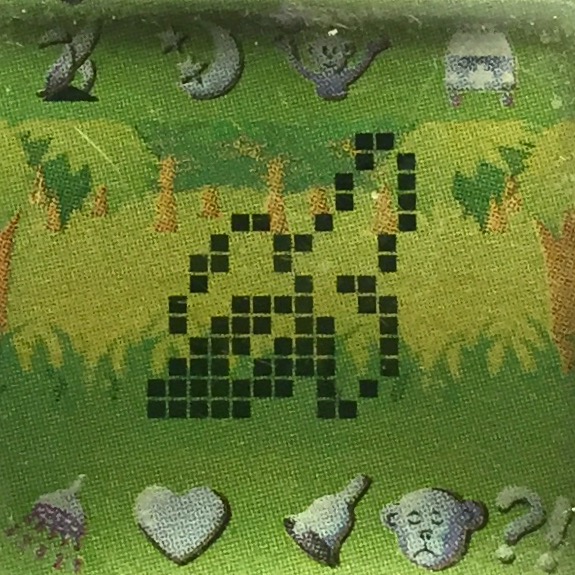
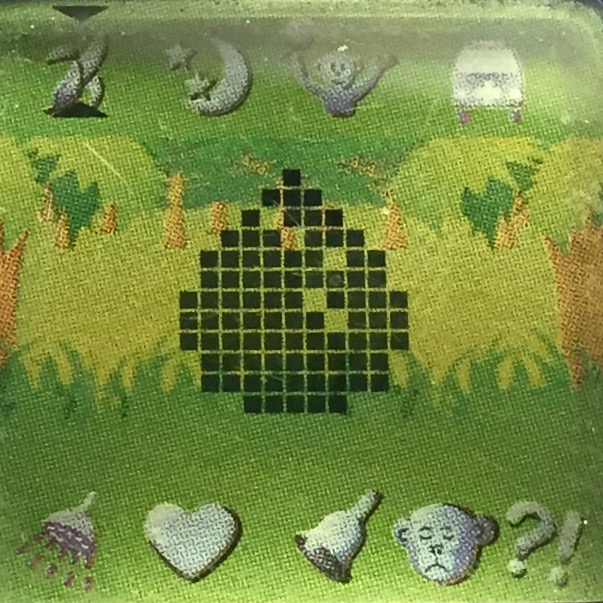
There are two food options to feed your monkey. Bananas are considered a meal that should be the main portion of your pet's diet. Coconuts are considered a treat, and should only be a small portion of your pet's diet. Meals will raise hunger by 20 points. Treats will raise hunger by 5 points, and raise the happiness points. When your pet gets too hungry, the food icon will begin to flash. Feed them immediately, or their health points will decrease! Giving your pet too many treats will also lower health points.
 |
 |
| Banana | Coconut |
Sleep
Unlike Tamagotchis, the sleep option does not function as a light. This option will force your pet to go to sleep. This is an important distinction, because you should only ever have your pet go to sleep when they need it. They will call for it on their own. You will know your pet is calling for sleep, when all of their stats are 20 or above, they have played a game, but are still calling out to you. If they get tired enough, the sleep icon will begin to flash. Let them sleep as soon as possible, or they will pass out, and their health points will decrease. Your pet will normally call for sleep around 9:30 to 10 PM. It is never at the exact same minute.
Play
Another difference in the play option from a Tamagotchi, is that Giga Pets only want to play a bit. If you continue to play games several times, they will get upset. The monkey's game is to swing across all the branches. Do this successfully three times in a row to win the game, get some playtime with your pet, and raise happiness.
If you do not play with your pet enough, they will call for it, and it can drop your score. It's a very delicate balance to keep.
Vet
This option is also quite different than a Tamagotchi. A vet visit isn't for curing a sickness like with Tamagotchis or Nano Pets. Vet visits are for directly raising your pet's health score. However, like real pets, this lowers their happiness. They hate going to the vet. Do not take your pet to the vet more than once per day, regardless of the circumstances. Ever! It won't raise the health score after the first time, will greatly lower happiness, and can actually have a detriment to your pet's overall health with the large decrease in happiness. Once your pet is at a high health, there is no reason to take them to the vet. I usually don't use the vet at all.
Cleaning
This option is used to not only clean up your pet's poop, but also to give them a bath. Clean up their poop when you see it on the screen next to them while they are not performing an action. You should only bathe your pet once per day. Bathing your pet will directly raise the health score by one point the first time each day. Afterward, it will decrease happiness and give no perks to health.
Status
The status section tells you all the information you need to know about your pet, and is vital in keeping your pet alive.
Name
This is the name you gave your pet when you adopted it. You can change it at any time on the clock change screens.
Overall Score
This is a relatively unimportant score. It is just the average of your pet's hunger, discipline, health, and happiness. Those individual scores are far more important. I rarely pay attention to this number.
Hunger
This score shows how hungry your pet is. 100 is completely stuffed. 0 is starving. Your pet will begin to call for food when this score falls to 19 or below.
Discipline
This score shows how disciplined your pet is. This number will slowly lower through the day like hunger and happiness do. You can raise this score by training your pet, or disciplining it.
Health
This is the most important score of them all. It is easy to lose health points, and difficult to regain them. The only ways to directly increase this score is by a vet visit or a bath, both of which can only raise it once per day. Otherwise, it has to be indirectly raised by raising hunger, discipline, and happiness over time. When any score is at 0, and you ignore it, the health score will begin to dramatically drop!
Happiness
This is how happy your pet is. You can raise this score by giving your pet treats, or playing a game with them.
Age
This is how old your pet is.
Weight
This is how much your pet weighs.
Training
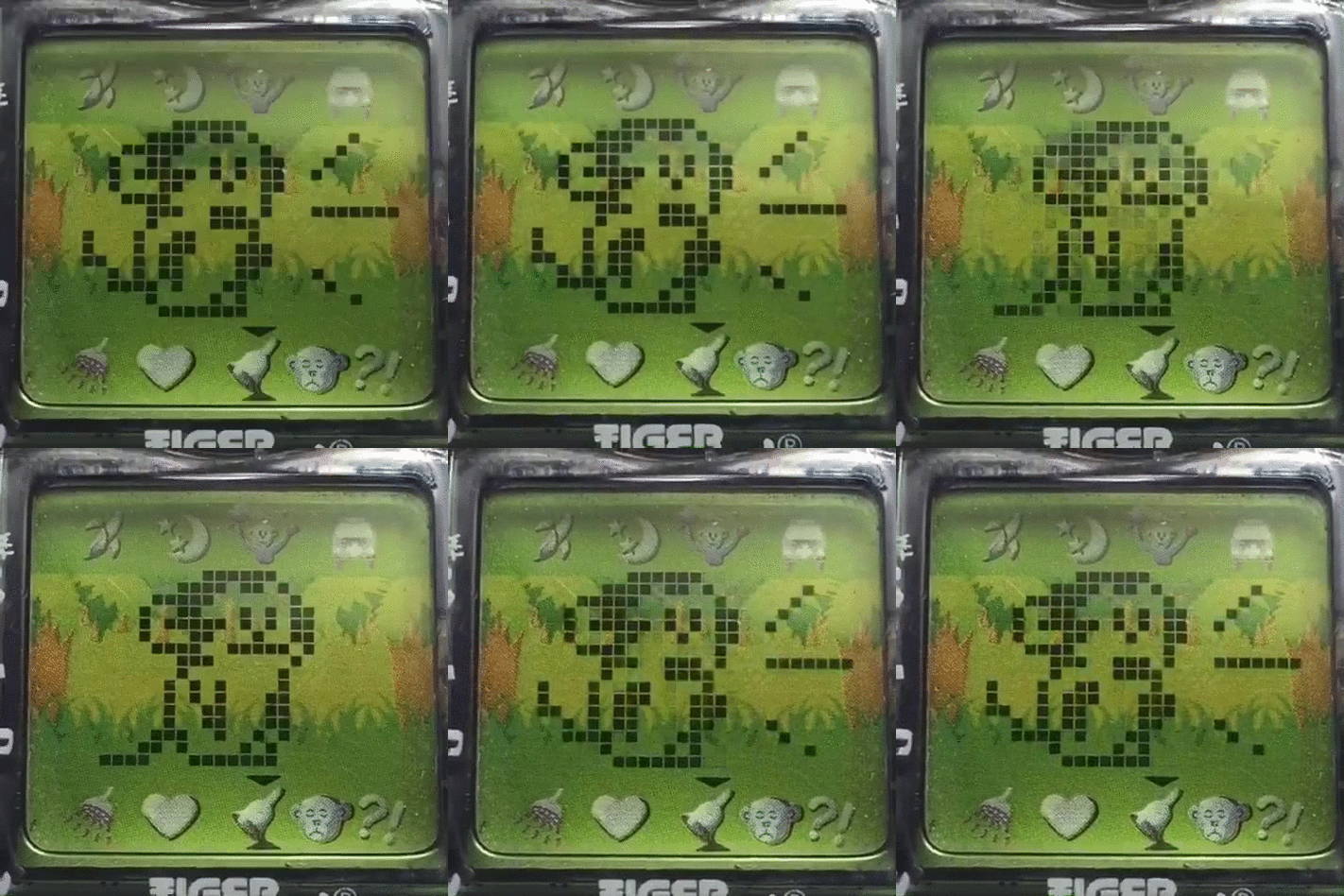
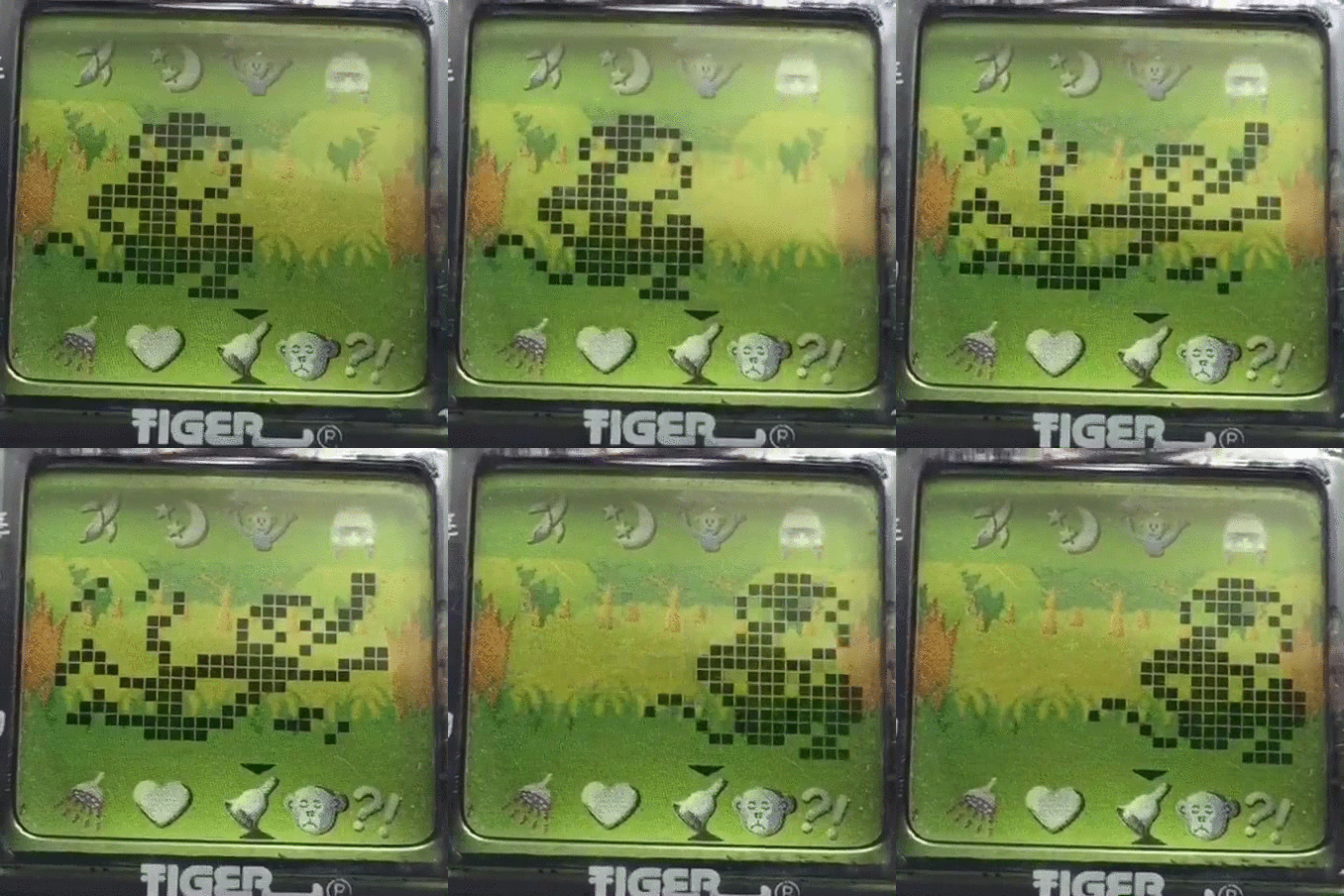
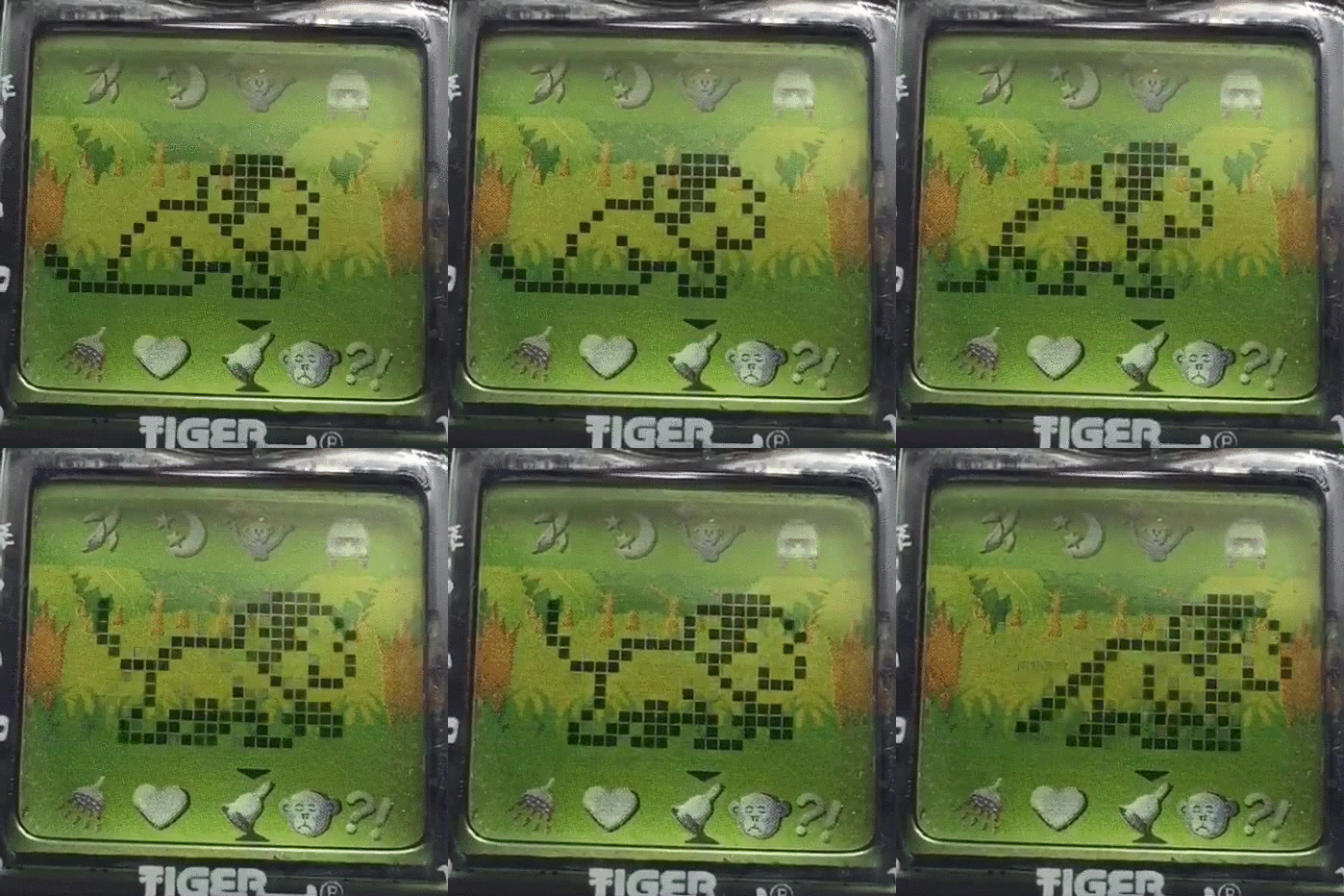
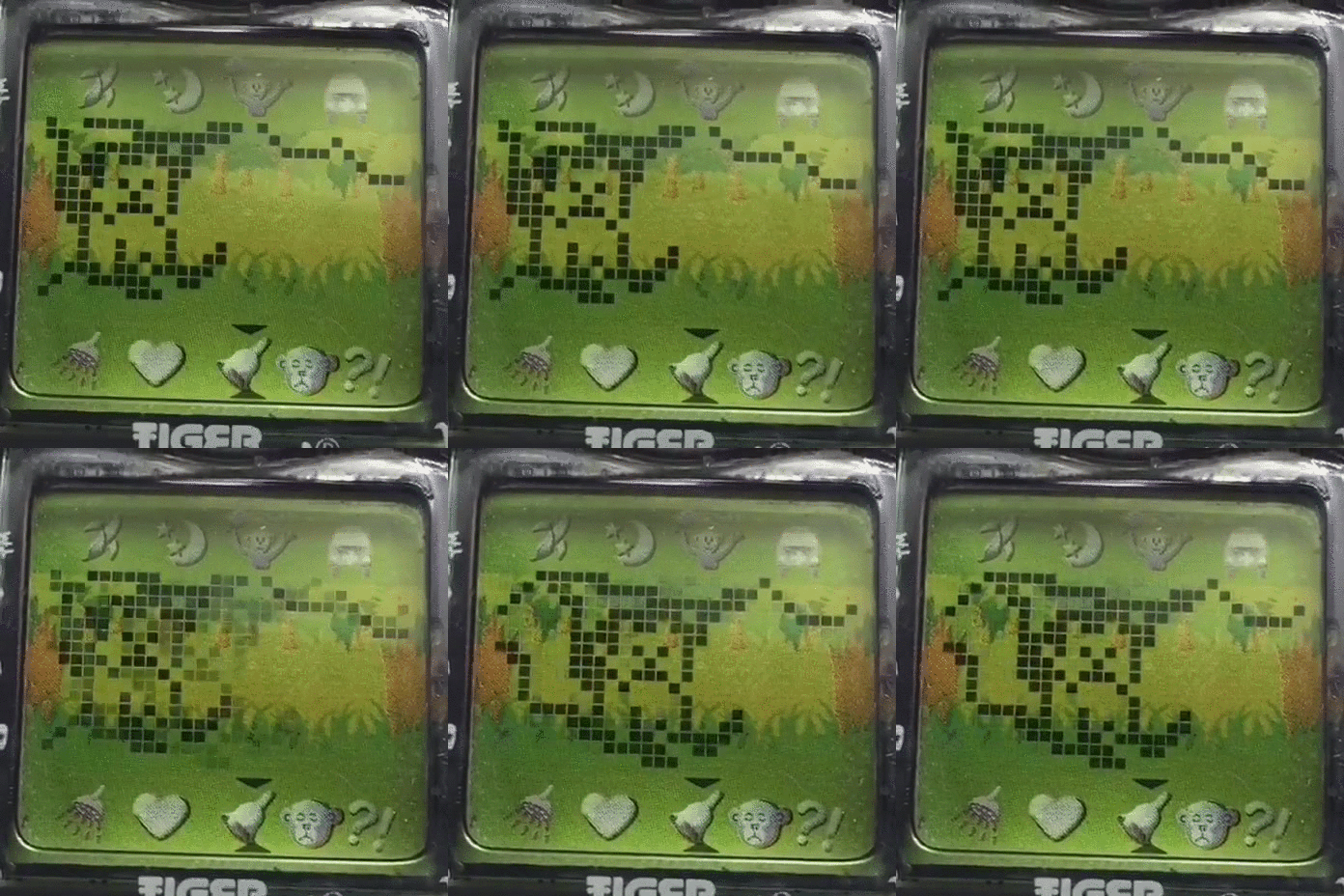
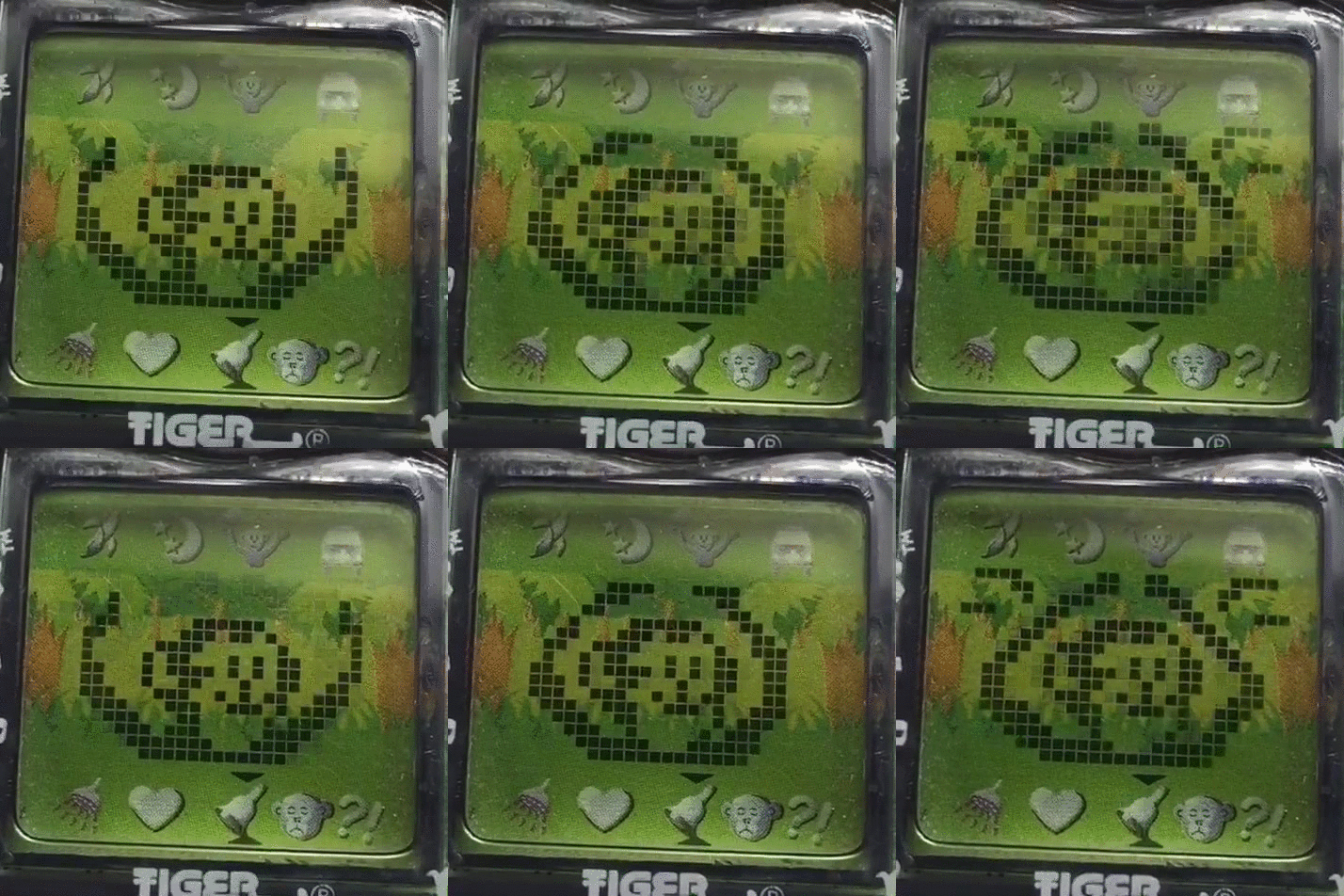
The training option lets you teach your pet tricks. Monkies can learn to shout, jump, run, swing, and clap. At first, your pet will not know any tricks. To teach them, select a trick from the list, and watch what they do. If they do the trick incorrectly, select that trick again until they perform the correct action. Once they have done the correct trick, give them a reward. They have now learned this command.
Once your pet has learned a trick, each time they perform this trick, it will raise their discipline by 10 points. Performing a trick successfully 10 times will completely fill the discipline meter, which makes the discipline option unnecessary.
 |
 |
 |
 |
 |
| Shout | Jump | Run | Swing | Clap |
Discipline
This option will scold your pet, and raise their discipline score. Unlike a Tamagotchi, your pet will not misbehave, so this is just scolding your pet to raise the score. This will raise the discipline score by 10 points, but it will also lower the happiness score. Since the training option can easily raise discipline without a detrimental effect on happiness, I never use this option, and think it is a poor function to use to raise the score.
Attention
This icon will light up when your pet is calling for care. You will also see a sad face on the screen cycled with the animal calling out. Go to the status screen to see which score is 19 or below. If no scores are below 20, your pet has either not played enough games, or wants to sleep. Play a game with your pet, and if it continues to call after that, then have them go to sleep!
Chattering
Just like with real animals, your pet will just like to talk. When you hear your pet call twice (2 shouts), they are just talking. When they call four times, they are calling for your care, and you will see the attention icon light up. This can be pretty annoying to many players. To not hear them talk all day long, keep the screen on clock mode. In this mode, you will only hear your pet call when they actually need something.
Keep in mind that regardless of what type of care your pet is calling for, ignoring it can cause the health score to go down.
Naps
Your pet will want to sleep at night, but it will also need naps through the day. Naps tend to happen at 10:45 AM, 2:45 PM, and 6:45 PM. Your pet will call out, even with care scores above 20. Play with them to ensure that they aren't just wanting to play, then have them go to sleep. They will wake up on their own.
Pause
There is no pause on a Giga Pet. Using the clock set screen does not pause your pet.
Mute Sound
To mute the sound, go to the clock screen from the character screen by pressing the Menu button when no icons are selected. Press the right button to make the bell on the screen disappear. The sound is now off. Press the left button to make the bell reappear, and turn the sound back on.
Set Clock
To set he clock, go to the clock screen from the character screen by pressing the Menu button when no icons are selected. Press the enter button to enter the time change mode. Use the left and right buttons to change the time, and enter to select the time entered.
Once the time is set, the pet's name will show. Press enter to change the name.
Strategy Guide
Even if you understand how the individual functions work, you will still need a proper strategy to keep your pet alive. Knowing what the options do is not enough to be successful at this pet, but when you do succeed, it is an incredibly satisfying victory. This guide will help you with the first generation of vintage Giga Pets and some Giga Pets Plus.
This is the same method I have used for all my Giga Pets since I was 12 years old in 1997. I used to teach this to the other kids at school when their Gigas kept dying. Follow this method to a "T", and you will have no problems keeping your health score at 100.
Startup
When you startup your pet, you will begin with 0 hunger, 80 discipline, 80 happiness, and 80 health. There is a pattern I use when caring for my pet, and I call each round of the steps a "care session".
- Teach your pet one trick. Feed a reward to lock in the correct action. (hunger: 5; discipline 80)
- Perform the learned trick 2 times. Throw in a reward here and there 2 times. (hunger: 15; discipline: 100)
- Feed your pet 4 meals which add up to 80 hunger points. (hunger: 95; discipline: 100)
- Play a game.
- Wait 20 seconds, and your pet will poop. I wait here, because otherwise it will poop while you are playing a game, and it makes the game stutter.
- Clean up the poop. When your pet poops, you will lose a little discipline. Don't worry about this. It's normal.
- Play 2 more games.
- Give pet a bath.
- You're done! Leave it alone for a couple hours except to clean up any poop!
Important Notes
- When filling the hunger meter, never go over 100. I feed until I hit the 80's or 90's, then I stop. If you do this, then play with the pet, the health score will go up by a point.
- I try to use treats or rewards to get the score in to an "odd" number 10's. So, 20's would be an even number section, and the 30's would be an odd number section. I do this so that I can easily get the hunger score into the 90's using only meals, since they are worth 20 points, and I like to make sure the last item my pet eats is a meal.
- For example, if my hunger is 25, and I feed my pet 3 meals, then my hunger score is 85. If I feed any more meals, then my score will go over 100. If my hunger is 35, and I feed my pet 3 meals, then my hunger is 95, which is very close to 100 without going over, giving me a health point up, and giving me more time between care sessions.
- If I am at 25 hunger, then I feed my pet 2 treats during tricks to get the hunger to 35. Then 3 meals gets me to 95. Done!
- Only bathe your pet once per day
- Only take your pet to the vet once per day. Vet care isn't a necessity, so you can skip it, and raise the health by care instead. This is what I normally do.
- Do not tell your pet to sleep when they do not need it. This can cause their health to drop.
- Only play with your pet 3-4 times per care session, or they will become too tired.
Maintenance Care
I normally wait until the health scores are in the 30's to bring them back up. Check the steps below for maintenance care steps you use after you have already done the startup section steps.
- Wait for hunger and discipline to hit somewhere in the 30's.
- Perform the learned trick or tricks 7 times, or however many it takes to get to 100 discipline. Going over 100 on discipline is perfectly fine.
- Eat 3 meals getting hunger into the 90's.
- Play a game.
- Wait for a poop, then clean up the poop.
- Bathe your pet. (Since this is only done once per day, I do this in the first care session of the day, then wait until tomorrow.)
- Play 2 more games.
- Done! Your health points will have increased! As long as you do not neglect your pet, you can get to 100 and maintain using this method.
- Details
- Category: Guides

The Pocket Love pet was produced in 1997 in Japan by Naco. The object of the game is to increase the compatibility of the two cats you care for. This pet doesn't have the normal options of feeding and cleaning up poop, but it still has the medicine option for when your cat gets sick. Their love compatibility is rated as a percentage. Once you get the compatibility percentage to 100%, a marriage animation will play, and you have successfully married the cats. If the compatibility falls to 0%, the game is over. To play again, you must reset the toy.
See the manual here.
Menu
- Mouse
- Slap
- Medicine
- Cattail
- Restaurant
- Karaoke
- Flower Gift
- Kiss
Startup
On startup, you must set the time. Press the A button to choose the hour or minutes to change. Press the B button to set the correct time. Press C to confirm.
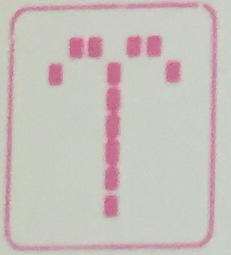
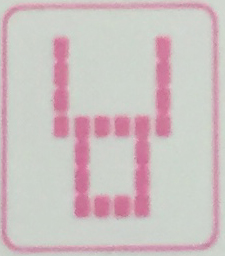
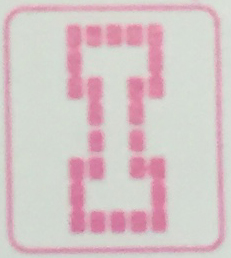
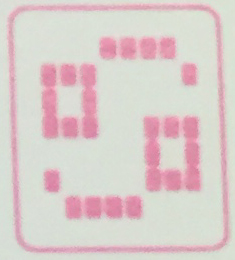
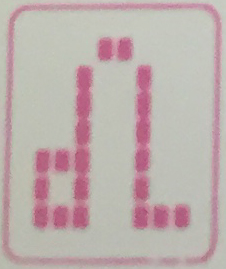
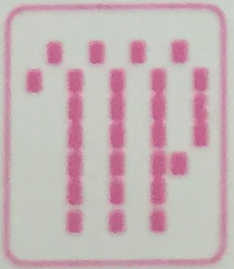
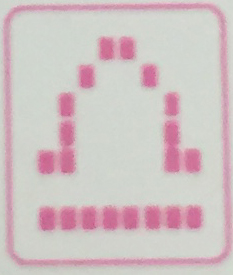
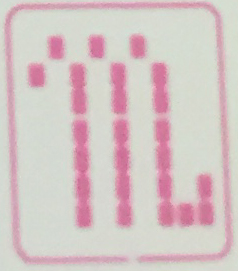
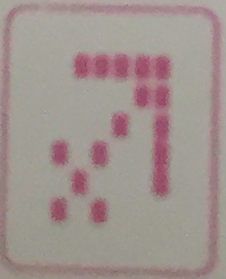
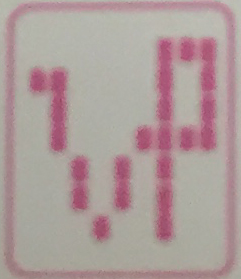
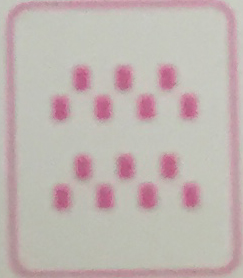
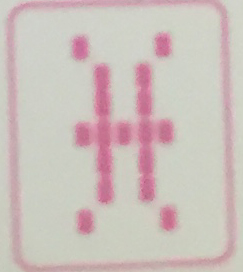
On the next screen you need to select each cats' blood type and zodiac sign. Press A to select which item you want to change. Press B to change the item selected. Press C to confirm. The male cat's blood and zodiac sign are on the left-side of the screen. The female cat's are on the right-side. See the chart below for the zodiac signs.
 |
 |
 |
 |
| Aries | Taurus | Gemini | Cancer |
 |
 |
 |
 |
| Leo | Virgo | Libra | Scorpio |
 |
 |
 |
 |
| Sagittarius | Capricorn | Aquarius | Pisces |
Different combinations of blood type and zodiac sign will start the cats off with different percentages of compatibility. Starting off with 30% compatibility is considered a good combination.
Status Screens
To check the status of your cats, press the B button without any menu options highlighted. The screen cycle is your cats, the time, love compatibility, attack chance, blood type/zodiac sign, and back to the cat screen.
Menu Options
The menu options on the top are when there are bad "attacks". The bottom icons are for the cats to get to know each other, and fall in love.
Bad Attacks
Bad attacks are when something is going wrong with the cats' relationship. It is normally the male cat's fault. I figure this is probably because he is an unneutered male. They are players by instinct! :P If you successfully take care of a bad attack, compatibility goes up by 1 percentage. However, if you miss a bad attack, it can dramatically decrease your score.
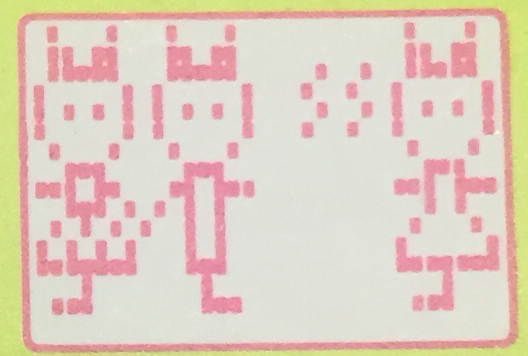
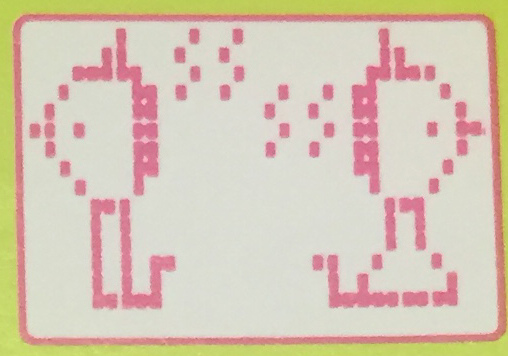 |
Mouse When the cats are facing away from each other and have tension lines between them, select this option to give them a toy mouse to play with. This will help them make up. |
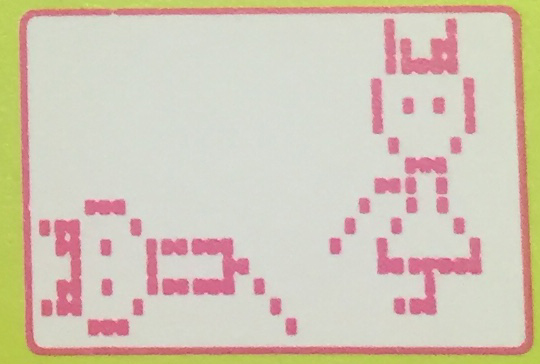
 |
Slap This option is for when another female cat is attracting the male cat. Deal with the female cat's rival by slapping the rival cat away. |
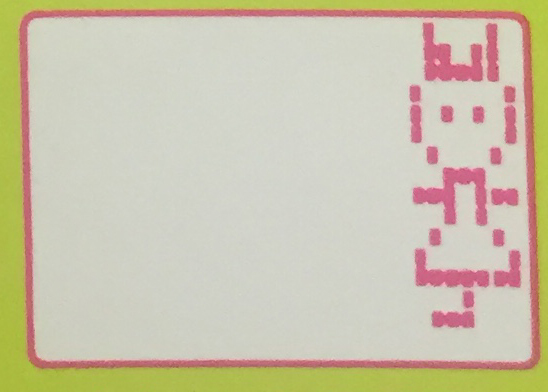
 |
Medicine Your male cat can get sick. When he is lying on his side, give him medicine to cure him. |
 |
Cattail Sometimes your male cat will run off trying to find other lady friends. Select this option to have your female cat lure him back with a cattail. |
Good Attacks
Good attacks are ways to increase the love compatibility of your cats. The attack chance meter shows the chance of attacks. Each good attack depletes this number, and each type of good attack uses a different amount. Once you hit 0, you cannot use any good attacks until the meter fills again. Using the same good attack may result in the love percentage not increasing. Try to let them have some variety.
Restaurant
Send your cats to a restaurant to have a meal together.
Karaoke
Send your cats to sing karaoke.
Flower Gift
Have the male cat give the female cat a flower as a present.
Kiss
Have your cats give each other a big smooch.
Mute Sound
To mute the sound, press the A and C buttons simultaneously on the character screen. To turn the sound back on, press the A and C buttons again.
Clock Set
Unfortunately, there is no way to change the time setting once it has been set on startup.